Applicable scenarios
The scope and method of AI learning can be customized, which is suitable for scenarios that are sensitive to privacy, performance, or where AI learning results need to be verified.
Before you start
- Log in with an administrator account and confirm that ZettAI is turned on.
- The files that need to be studied have been uploaded to NAS and are not in the "Exclude specified folders".
Set learning scope
Enter "Settings - AI Settings - AI Service" and select which files AI can learn in "Learning Scope".
| model | illustrate | Suitable for the scene |
|---|---|---|
| Study all documents | AI learns all files within the accessible range | Want to fully experience AI search and accept AI analysis of all accessible content |
| Exclude specified folders | AI does not learn files in the specified folder | Don't want AI to analyze private, temporary, or irrelevant folders |
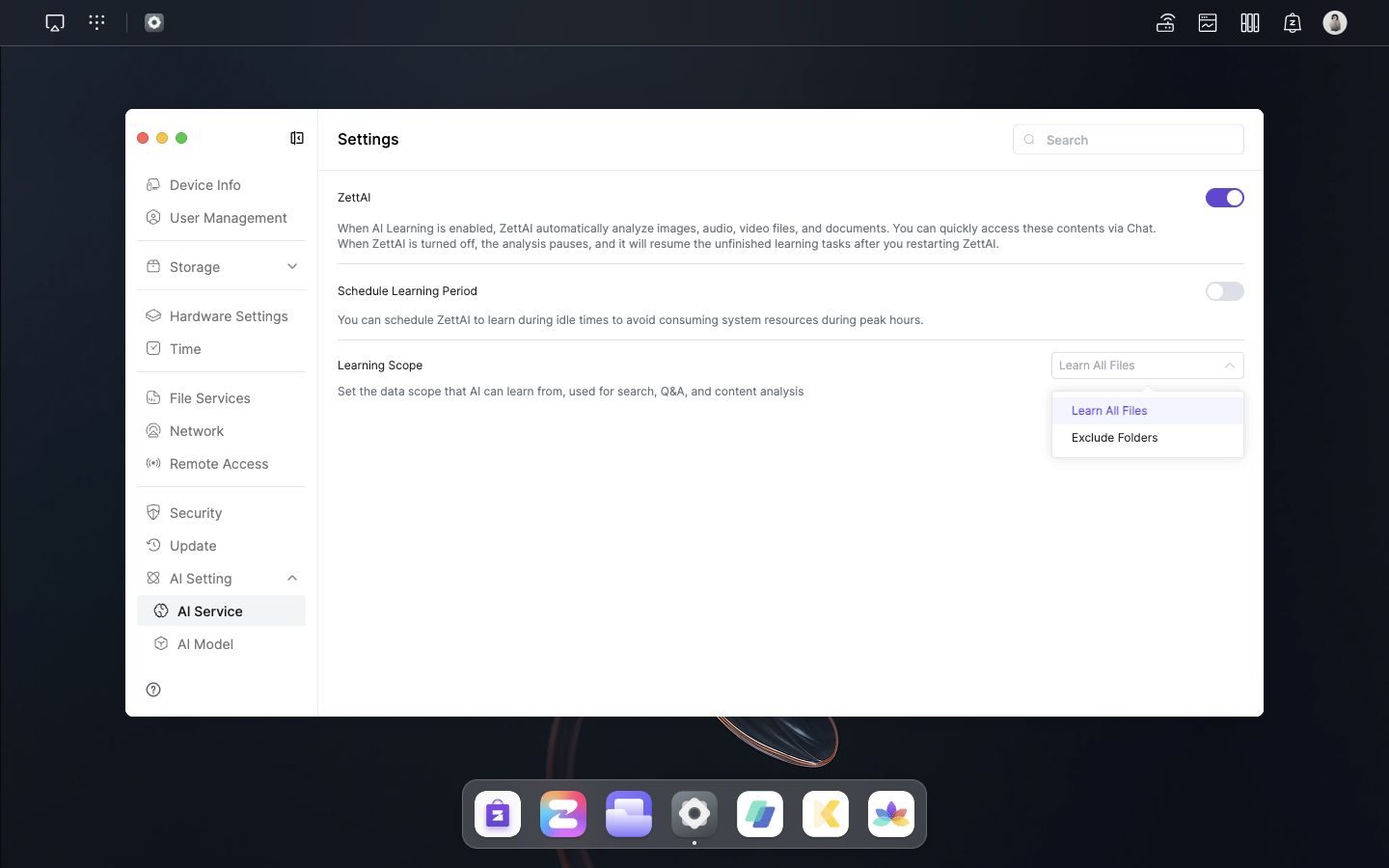
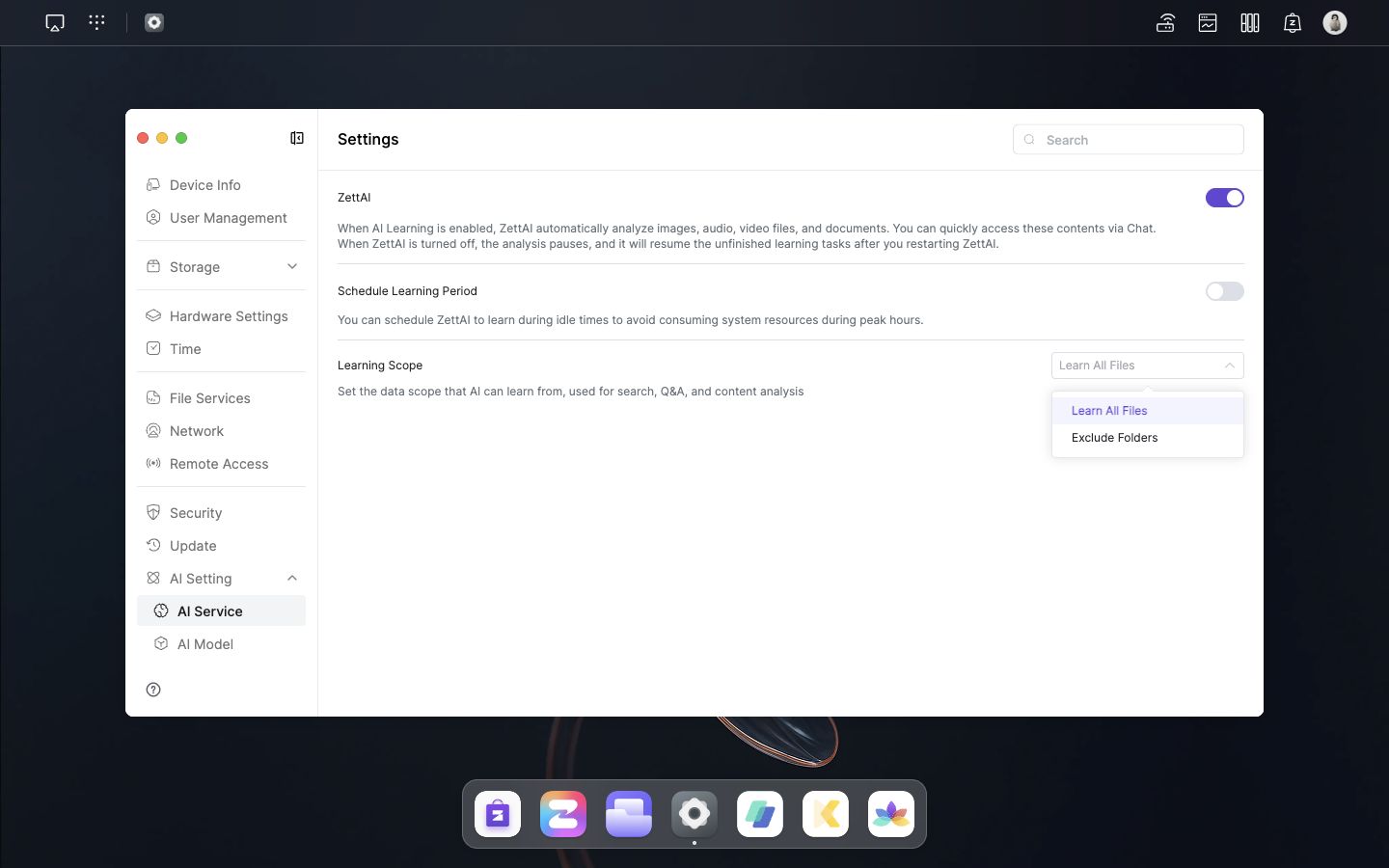
Confirmation after setting: After the learning range is saved, the new range will affect subsequent AI learning tasks; the search results will not be updated until the relevant files have been learned.
Set study period
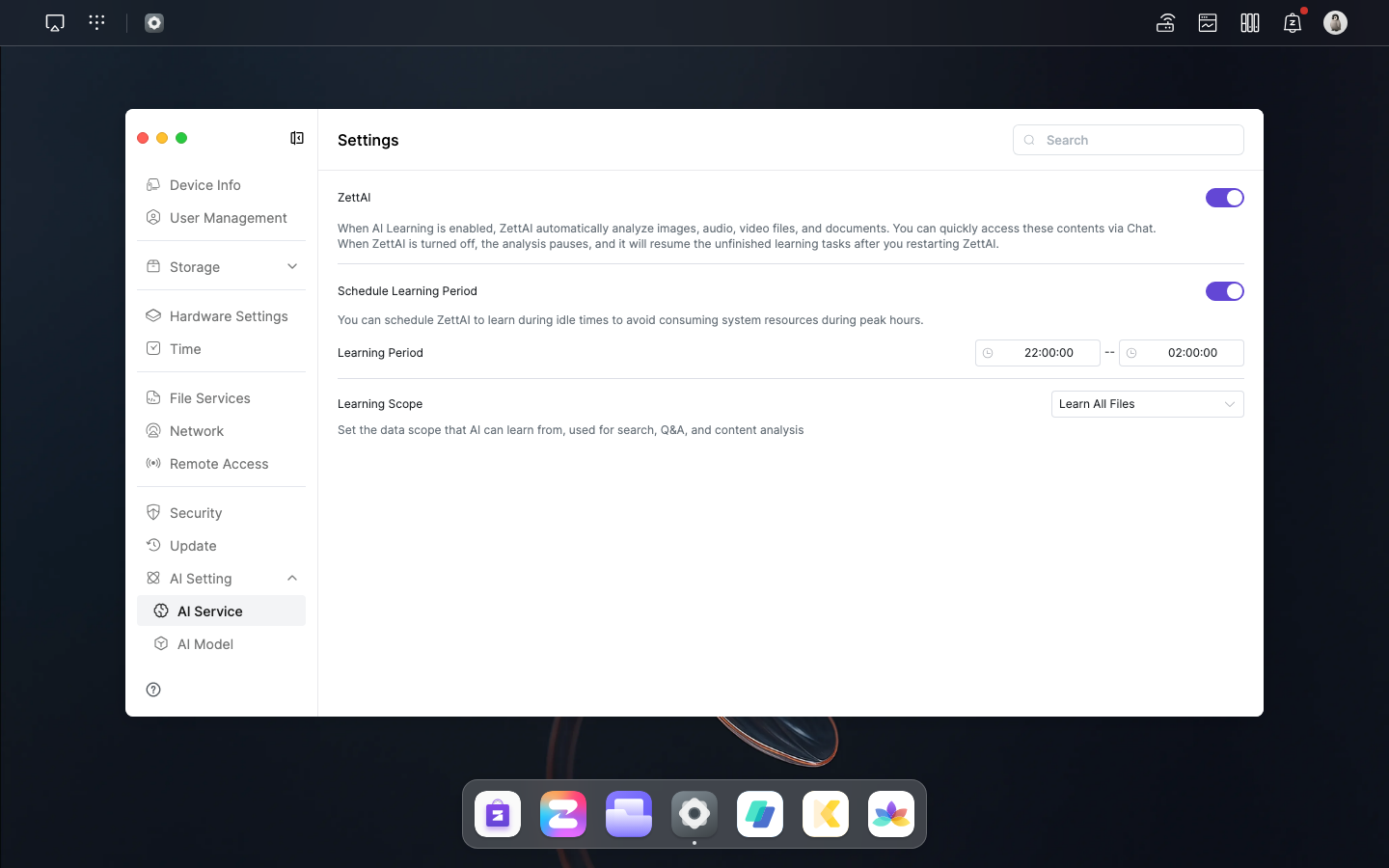
Enter "Settings - AI Settings - AI Service", turn on "Schedule Learning Time Period", set the start time and end time and save. It is recommended to arrange study at night or during business free time to reduce the impact on daily access, uploading and downloading, and other tasks.
Supported learning file types
Currently the following file formats are supported for learning:
| type | Supported formats |
|---|---|
| Image | .bmp, .gif, .heif, .ico, .jpe, .jpeg, .jpg, .png, .webp, .heic, .jfif, .ari, .arw, .cr2, .cr3, .dng, .nef, .orf, .psd, .r3d, .raf, .rw2, .tga, .tif, .tiff, .exr, .3fr, .dcs, .erf, .fff, .iiq, .jp2, .mef, .mos, .nrw, .pef, .raw, .rwl, .x3f, .hif |
| Video | .m4v, .mkv, .mov, .mp4, .webm, .avi, .flv, .mpg, .mts, .mxf, .rmvb, .wmv, .ts, .3gp, .asf, .mpeg, .ogv, .rm, .vob |
| Audio | .aac, .m4a, .mp3, .wav, .aiff, .alac, .flac, .ogg, .wma, .aif, .amr, .ape, .mpga |
| Documentation | .doc, .docx, .pdf, .pptx, .txt, .xlsx, .csv, .ppt, .rtf, .xls, .md, .epub, .htm, .html, .msg |
View learning status and results
Enter "Task - AI Learning Task" to view the learning status, remaining quantity, successful items and failed items; if there are failed files, first check the cause of the failure, and then follow the page prompts to re-learn or process the original file.
| state | illustrate |
|---|---|
| Initialization in progress, please wait... | AI The learning service is being initialized. Please wait for the initialization to complete before checking the task progress. |
| Studying | The files are being analyzed and sorted; the page will display the remaining number to be studied. |
| Pause: non-study period | It is currently not within the set learning period; learning will continue after reaching the recovery time prompted on the page. |
| Pause: real-time tasks take priority | NAS is prioritizing real-time tasks; it will automatically resume learning when system resources are idle. |
| No pending study tasks | There are currently no files to learn. |
| Learning task completed | This round of learning has been completed. You can click [Learning Results] to view the number of successes and failures. |
| Closed | ZettAI has been closed and AI learning will not continue; you can go to "Settings - AI Settings - AI Service" to reopen it. |
| mistake | AI The learning service is unavailable; follow the interface prompts to handle it. |
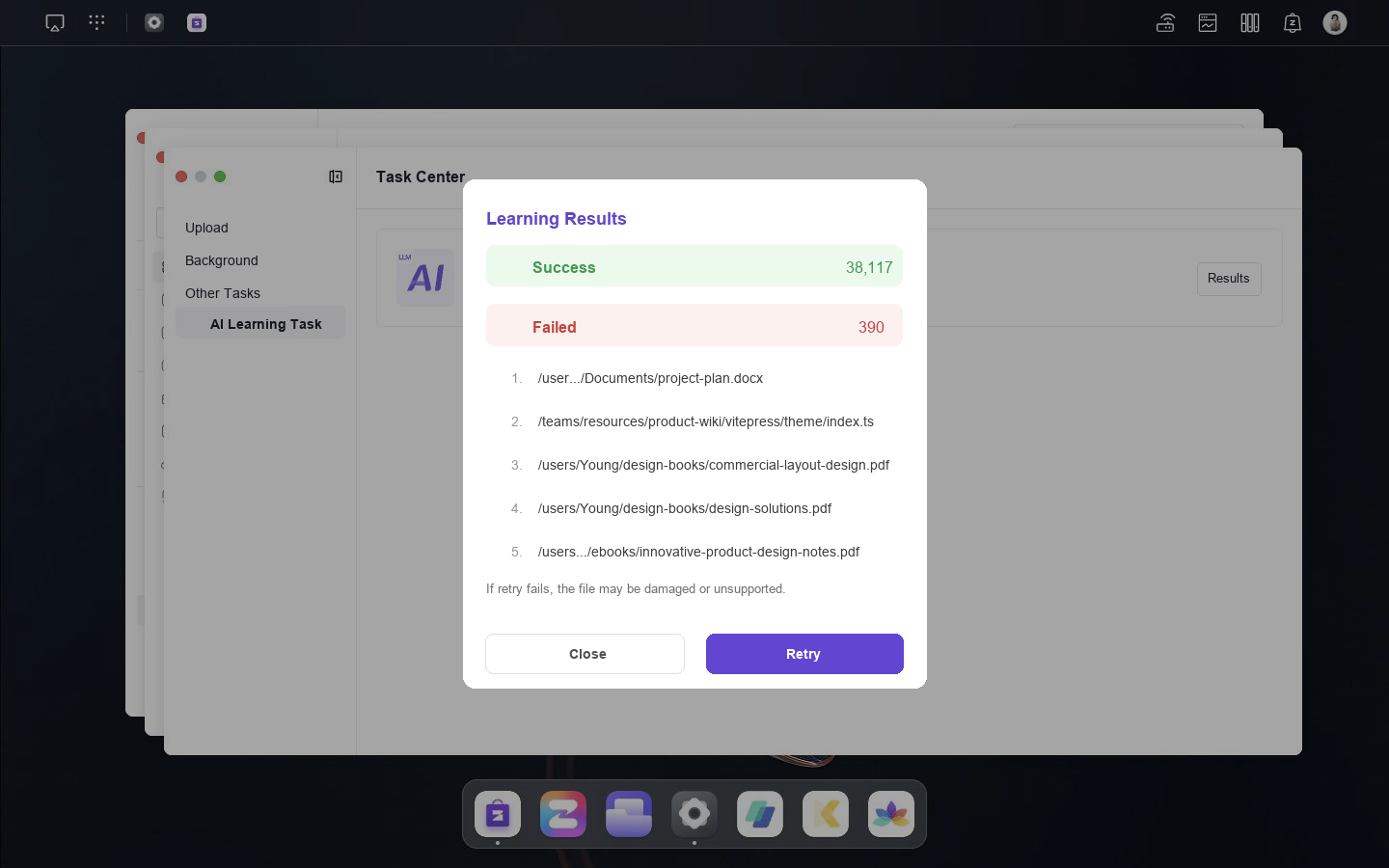
Common reasons for learning failure: If there is a failed item in the "Task - AI Learning Task", you can first determine the reason based on the failure prompts.
| Common reasons for failure | How to troubleshoot | Solution |
|---|---|---|
| File type not recognized or supported | Confirm whether the file suffix is consistent with the file content, and check whether it is a learnable type against the supported format table. | Unsupported files can be excluded from the learning scope; files with abnormal suffixes or content can be corrected and re-learned. |
| The video or media file cannot be parsed | Confirm whether the file can be played normally by commonly used players and whether it is damaged, incompletely uploaded or in a non-standard format. | Re-upload the original file that can be played normally, or transcode it to a common format before learning. |
| The image format or encoding is not supported | Confirm whether the image can be previewed normally; some special image formats or encodings may not be decoded by the current component. | Relearn after converting to a supported image format, or exclude the file. |
| Path or file object exception | Check whether the failed file path actually points to a directory, an empty file, a temporary file, or an exception object. | Relearn after deleting directory masquerades, empty files, or abnormal objects. |
| Original file exception | Check whether the file is corrupted, encrypted, lingering in the Recycle Bin, or just an incomplete temporary file. | Relearn after repairing, replacing or deleting abnormal files. |
FAQ
| Phenomenon | Possible reasons | Processing method |
|---|---|---|
| The save button cannot be clicked | No modification content, or the folder selection is empty | Select a valid folder and save |
| No immediate change in search results | AI needs to be relearned | Wait for the learning task to be completed |
| Ordinary users cannot modify | The learning scope belongs to the administrator settings | Use an administrator account |
| Some folders are not selectable | Permissions, system directory or application directory restrictions | Select accessible data directories |
