When automatic recognition fails, matches the wrong title, or places a file in the unmatched state, you can manually search and choose the correct media information.
Before You Start
- The video has already been scanned into Theater.
- The current account can manage the corresponding media library.
- You know the correct title and year, or the season and episode numbers for a TV show.
Steps
- Open the video detail page or the unmatched file.
- In the more menu, choose actions such as [Manual Match], [Content Management], or [Delete].
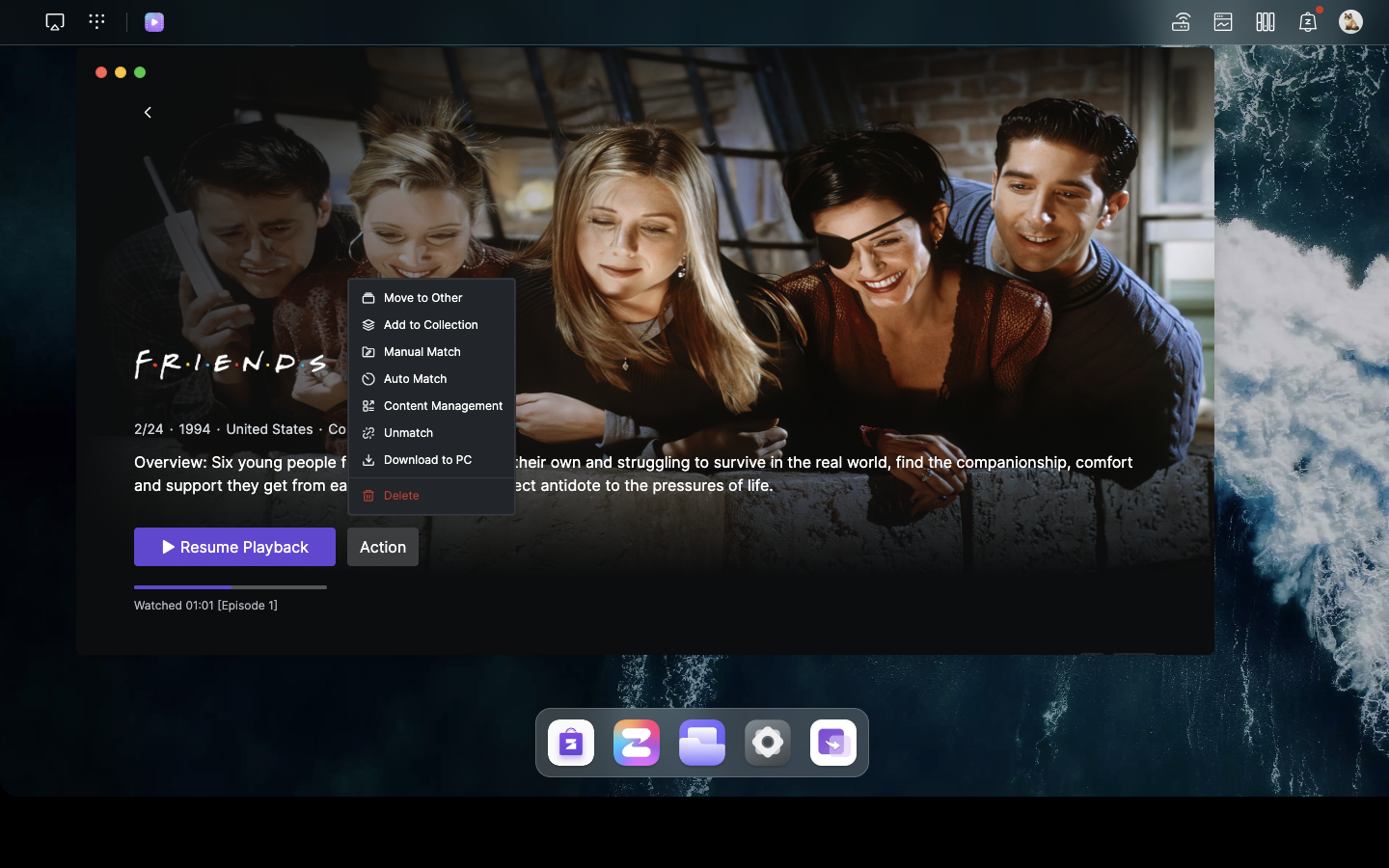
- If you need to adjust TV episodes or linked files, open Content Management.
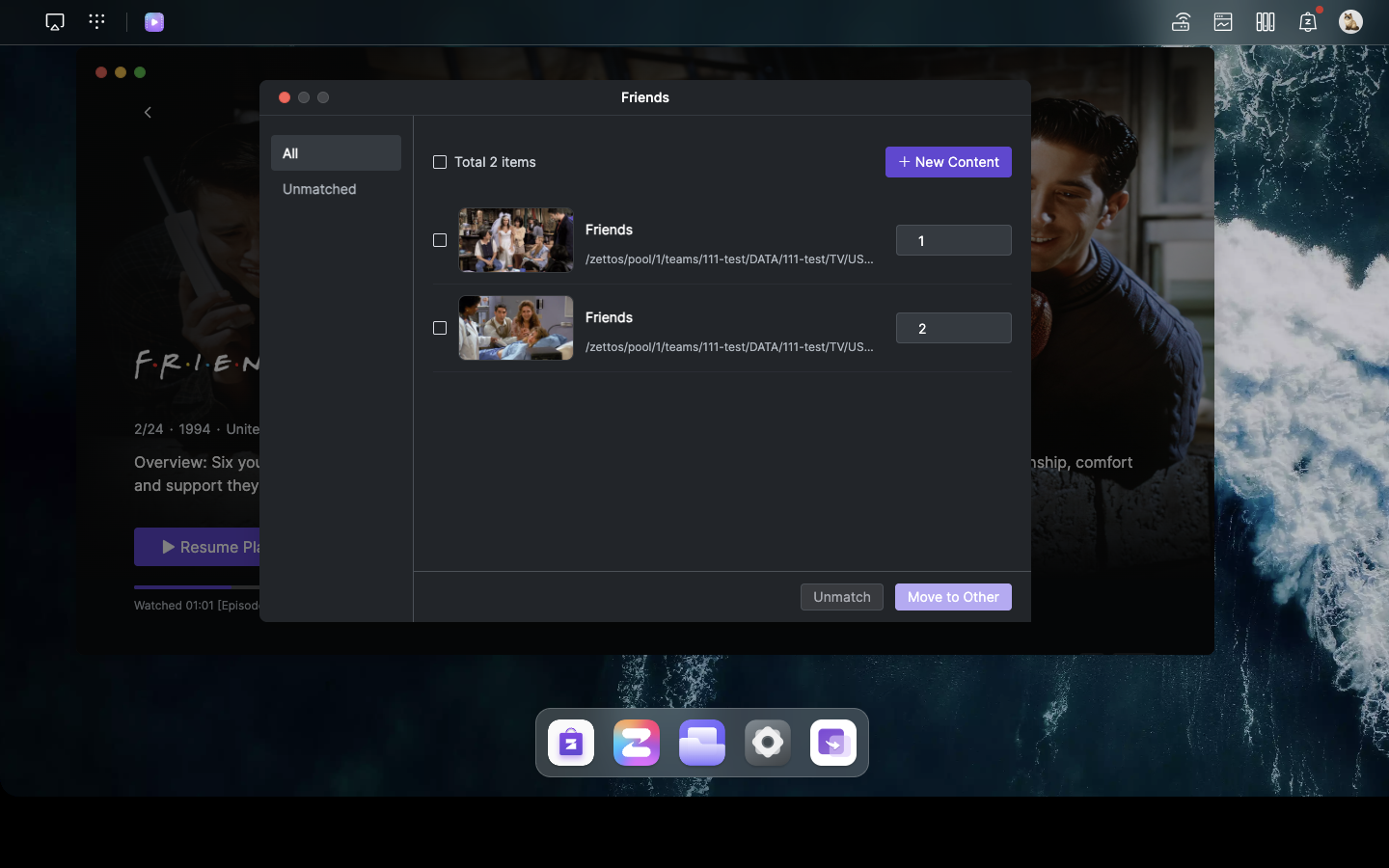
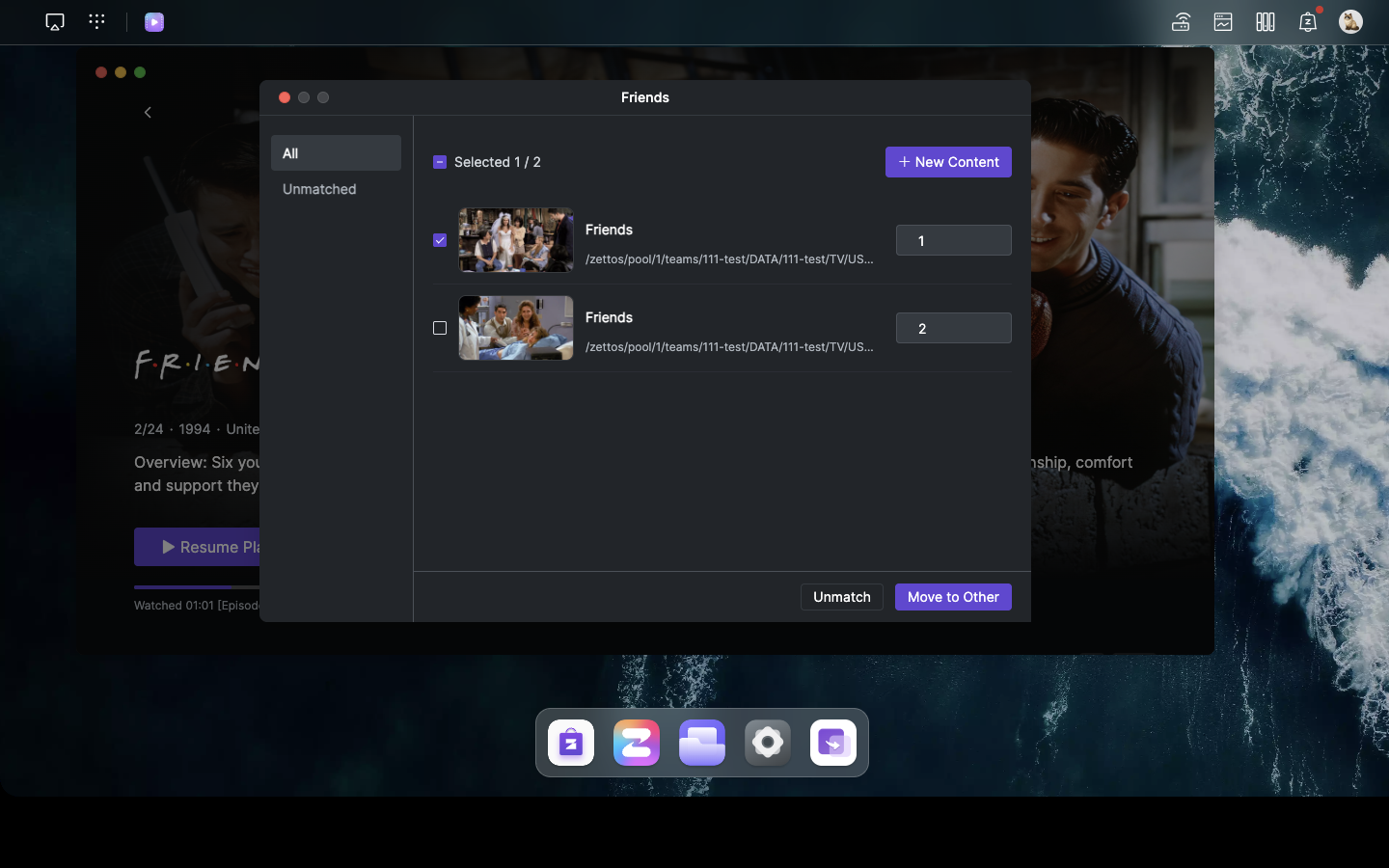
- Select the corresponding episode or file, then confirm.
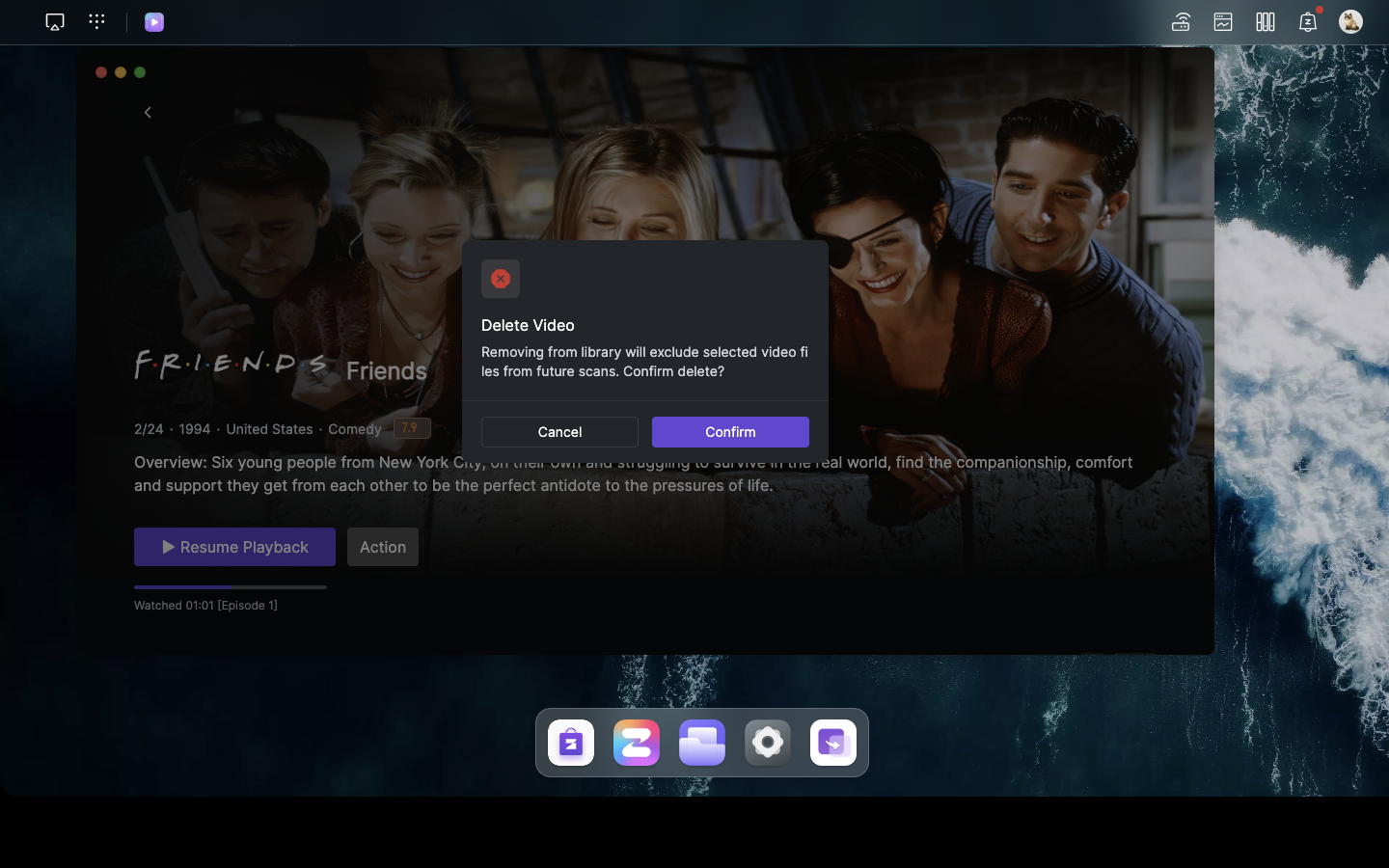
- If you are sure a media library record is no longer needed, continue in the delete confirmation dialog. Deletion affects Theater records; whether the original file is deleted depends on the page prompt. This document treats it as a soft delete and does not recommend assuming it is a physical delete.
- Return to the media library or detail page and check whether the title, poster, episodes, and file association have been updated.
Success Criteria
- The video is removed from unmatched items, or the incorrect information is fixed.
- The title, poster, summary, episodes, and file association match the actual video.
- The video displays normally after you return to the list.
FAQ
| Question | Handling or suggestion |
|---|---|
| Cannot find the right candidate | Try the original title, English title, year, TMDB ID, or IMDB ID. |
| Information is still wrong after selection | Run manual matching again and choose the correct candidate. |
| No manual match entry is shown | Use an administrator account or confirm whether the current account has media library management permission. |
| Video information is wrong | The file name is not standardized, or there are many titles with the same name. Use Manually Match Media Information to fix it. |
