In Settings-Device Info, you can view basic device information, change the device name, go to Remote Access ID settings, and view the Cloud Account binding entry.
View Basic Device Information
The Device Info page is used to view the device name, Remote Access ID, SN, Model, Service version, Hardware, Network, and operating status in one place.
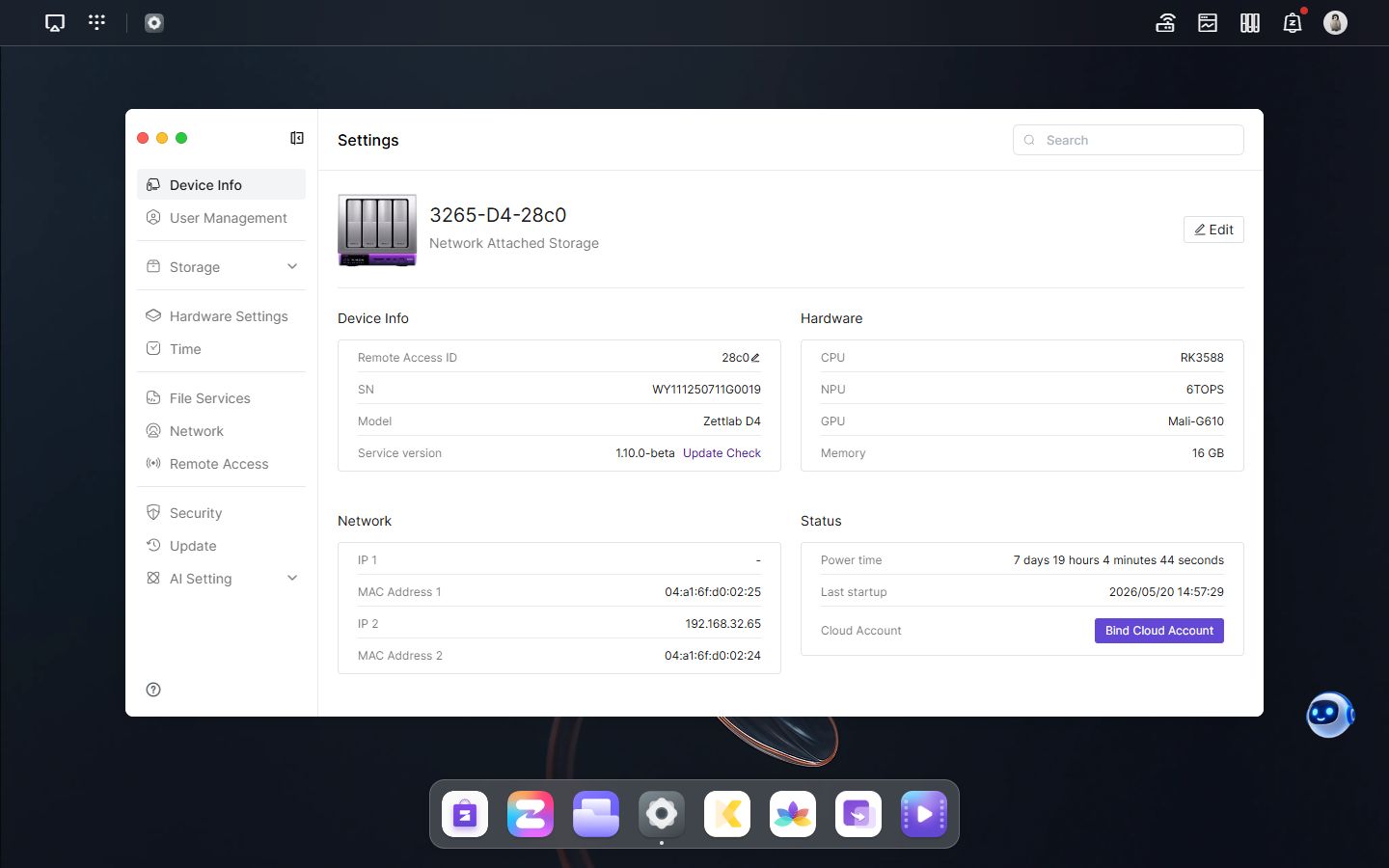
- Open
Settings-Device Info. - View the device name and device type at the top of the page.
- View the current device information in the
Device Info,Hardware,Network, andStatusareas. - View the current Cloud Account status in the
Cloud Accountrow.
Change Device Name
- Open
Settings-Device Info. - Click [Edit] on the right side of the device name area:
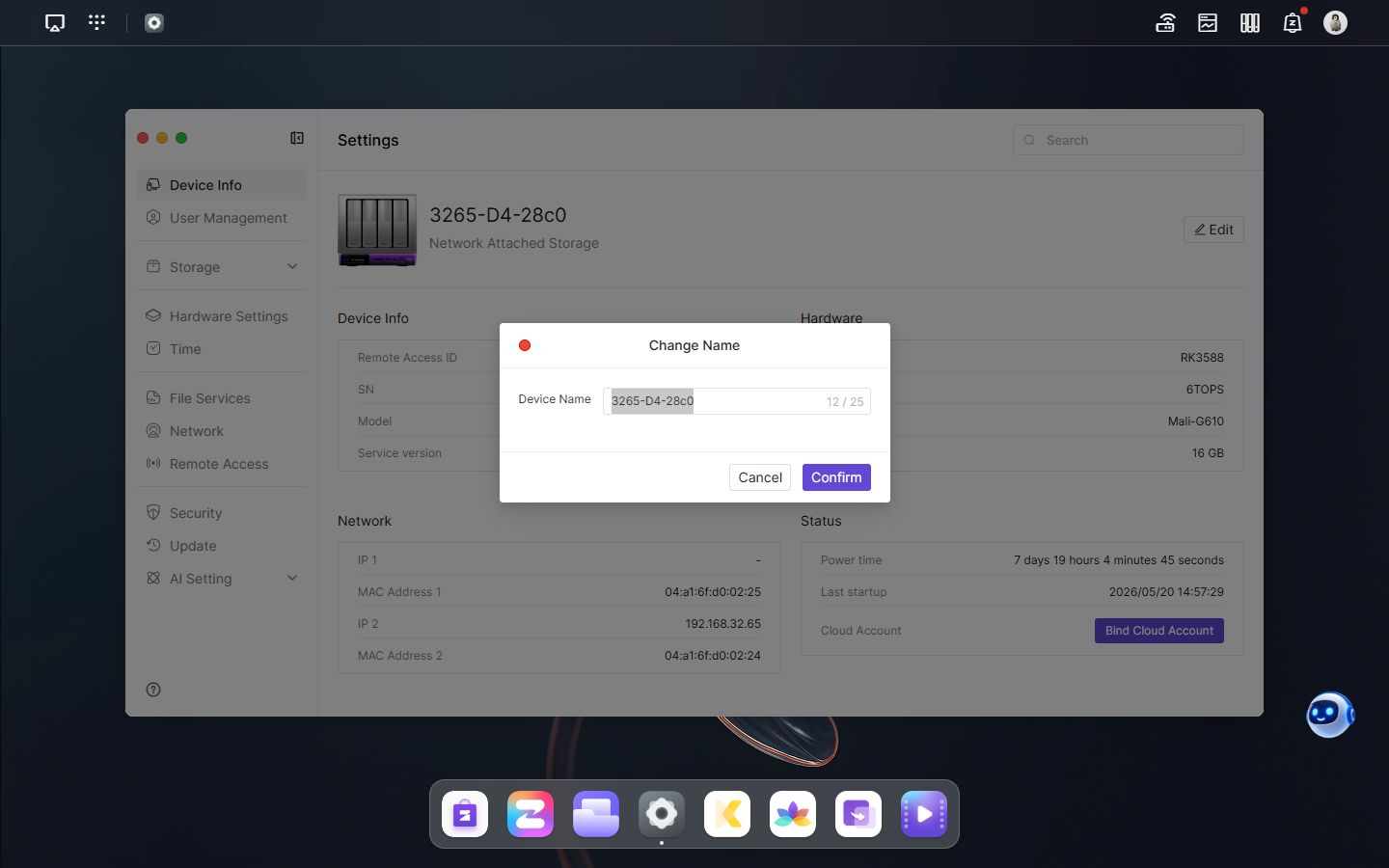
- Enter a new name in
Device Name. - Click [Confirm] to save; to exit, click [Cancel].
Edit Remote Access ID
- Open
Settings-Device Info. - Click the edit icon in the
Remote Access IDrow. - The system will go to the
Settings-Remote Accesspage. For how to change the Remote Access ID, see Configure Network and Remote Access.
Bind Cloud Account
- Open
Settings-Device Info. - View the [Bind Cloud Account] button in the
Cloud Accountrow.
To check or install system updates, see Update System.
