In Settings-Update, you can view the current system version, manually check for updates, and set the interval for system update checks.
View the Current System Version
The Update page shows the current system update status and Current version.
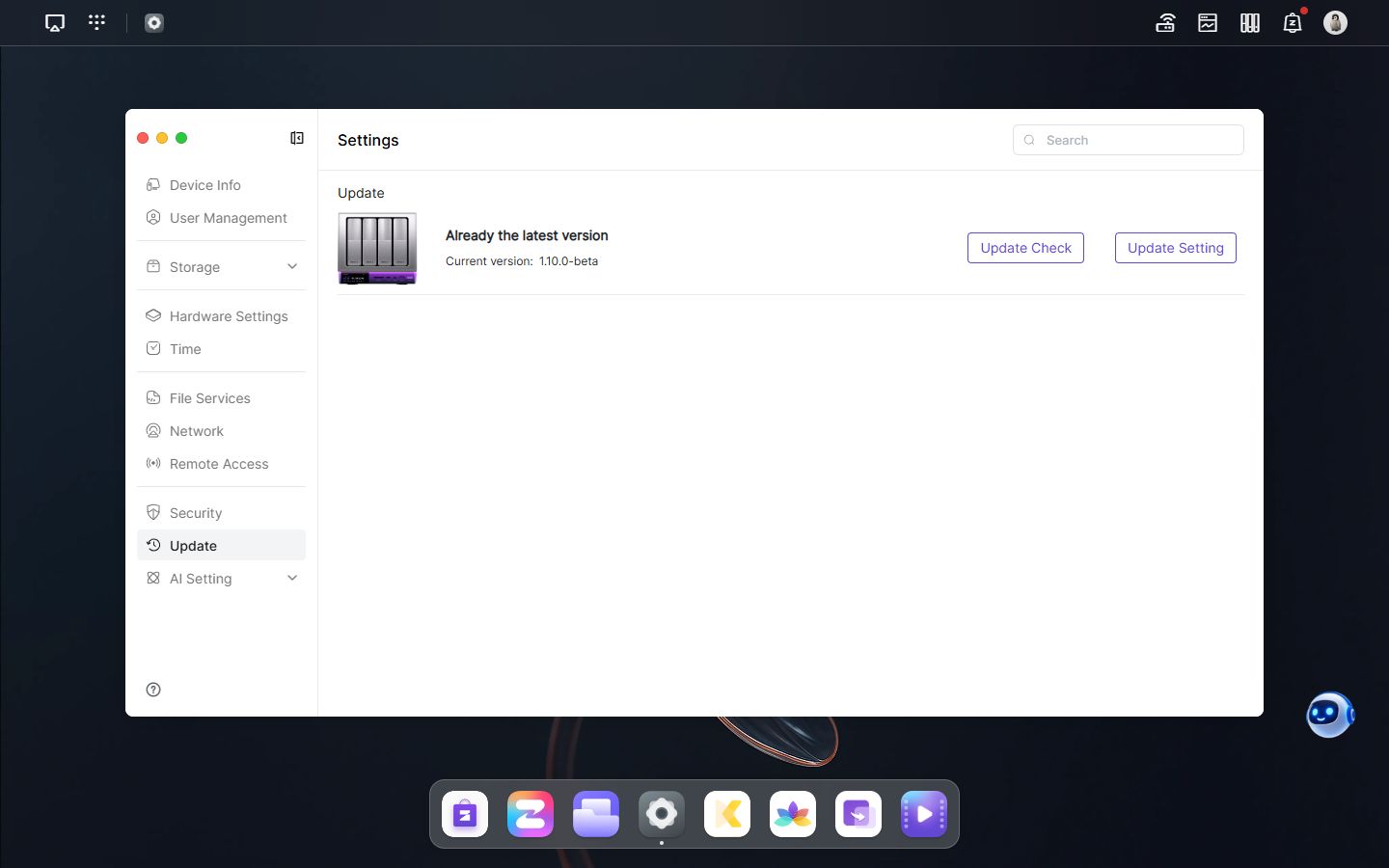
- Open
Settings-Update. - View the current update status on the page.
- View the current system version in
Current version.
Check and Update the System
- Open
Settings-Update. - Click [Update Check].
- After the check is complete, view the current update status according to the result:
- When the system is already up to date, the page shows "Already the latest version": !Already the latest version - When an update is available, the page shows New version and Current version, and displays the update notes: !Update available
- If an update is available, click [Download] to download the update package.
- After the download is complete, the button changes to [Update Now]. Click [Update Now].
- The system opens the
Update Nowconfirmation dialog:
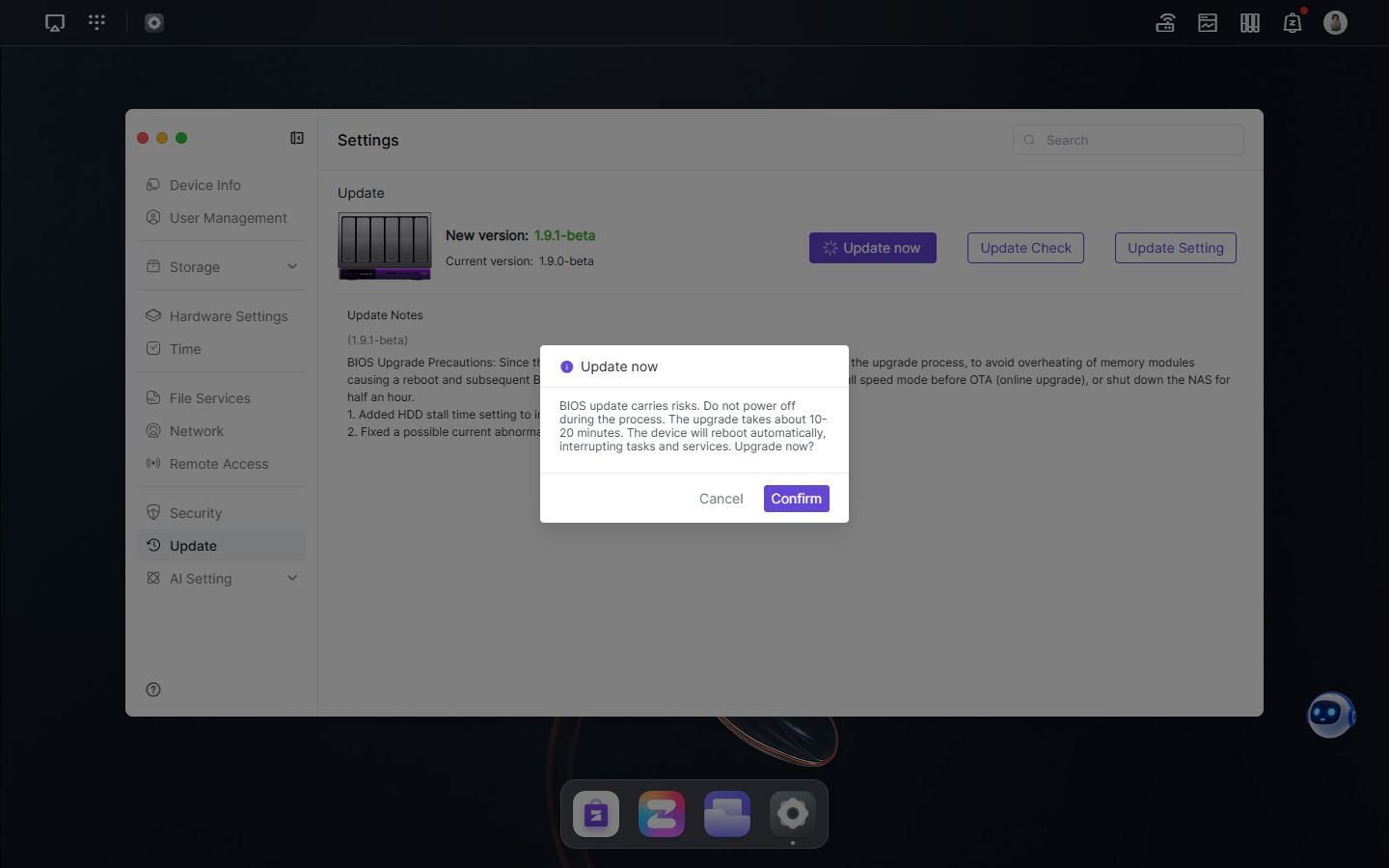
- The confirmation dialog warns:
"Updating the BIOS carries certain risks. Do not disconnect power or shut down the device during the update. The upgrade takes about 10-20 minutes. During this time, the device will restart automatically, and upload/download tasks and running services will be interrupted. Update now?". - After confirming that the device can restart and interrupt current tasks, follow the on-screen prompts to confirm. The system will start the upgrade.
Set the Update Check Interval
- Open
Settings-Update. - Click [Update Setting]:
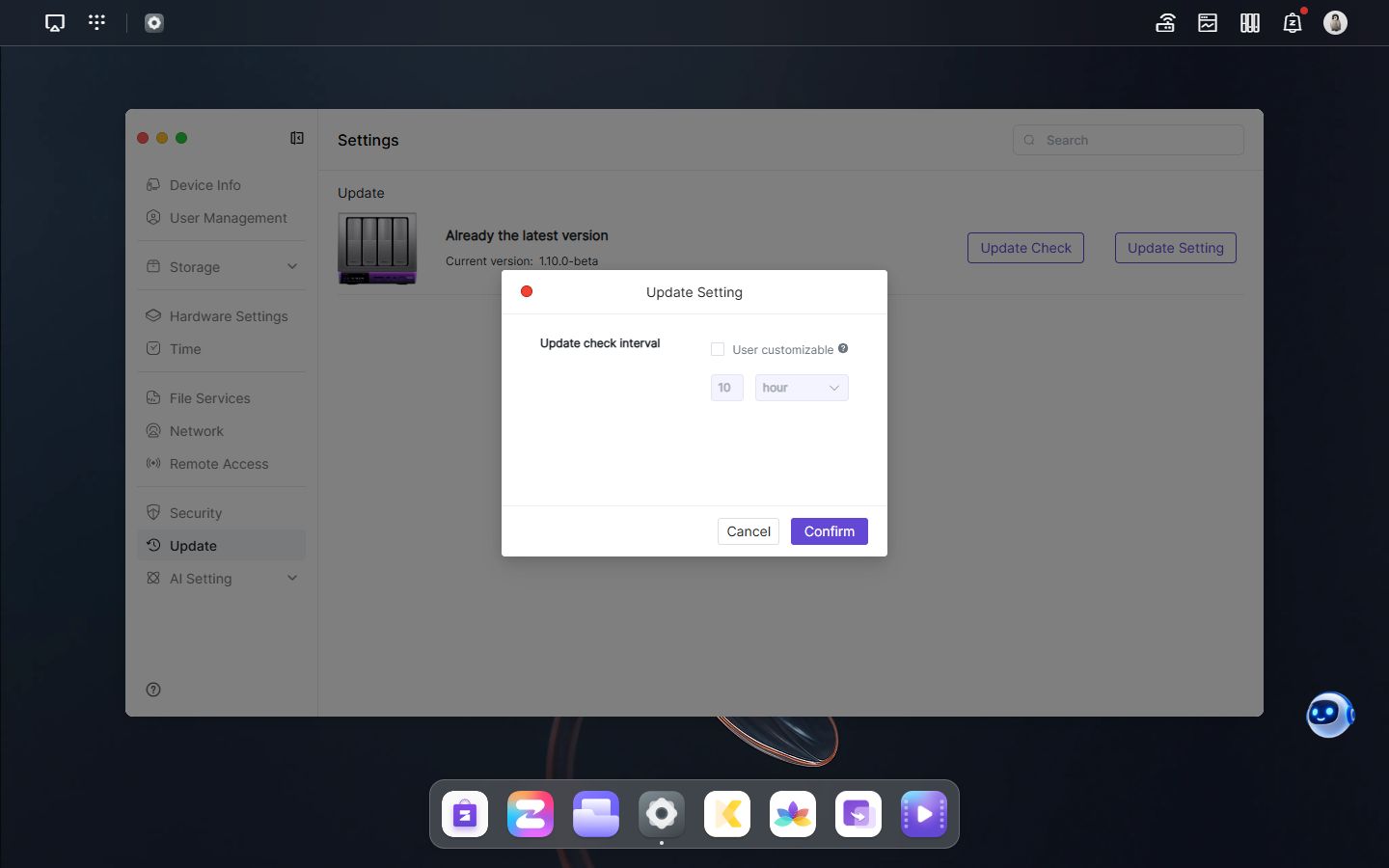
- In
Update check interval, select [User customizable]. - Set the check interval value and select the time unit. The time unit can be
hourorday. - Click [Confirm] to save; to exit, click [Cancel].
FAQ
| Question | Handling or suggestion |
|---|---|
| Will a system update restart the device? | After clicking [Update Now], the confirmation dialog indicates that the upgrade takes about 10-20 minutes, the device will restart automatically, and upload/download tasks and running services will be interrupted. See Update the system. |
