1. 产品简介
OpenClaw 是一款自托管的个人 AI 助手,支持对接 WhatsApp、Telegram、Discord、Slack 等主流消息应用,兼容多类 AI 模型,可实现任务自动化、网页浏览及文件管理等功能 。
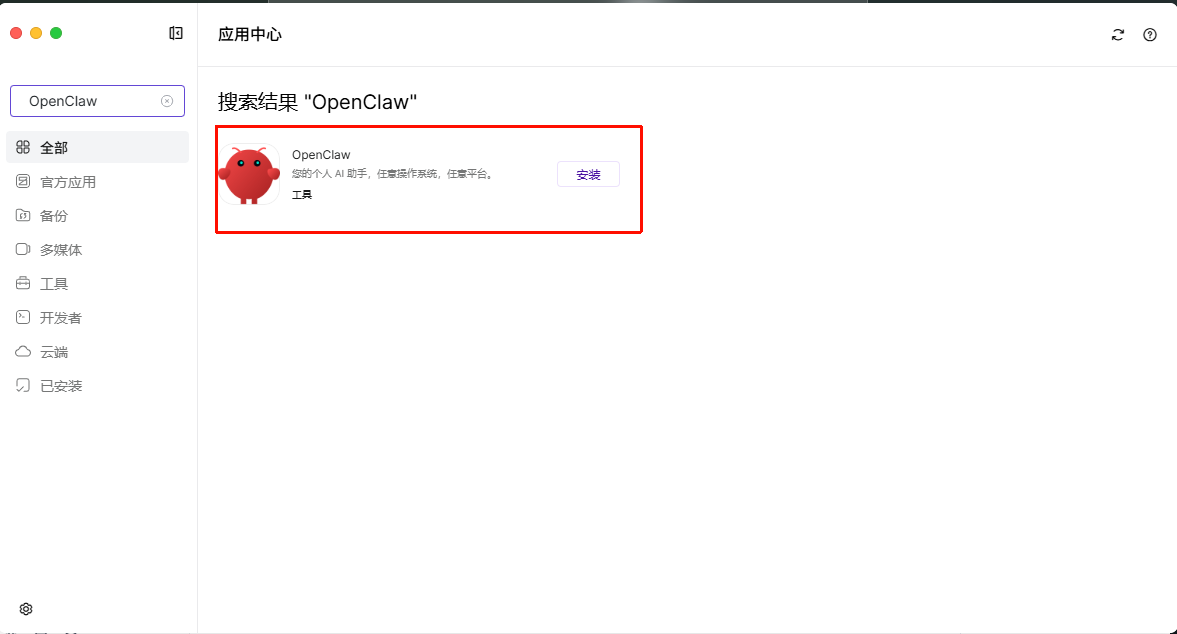
2. 打开应用中心安装OpenClaw
2.1 首次登录认证
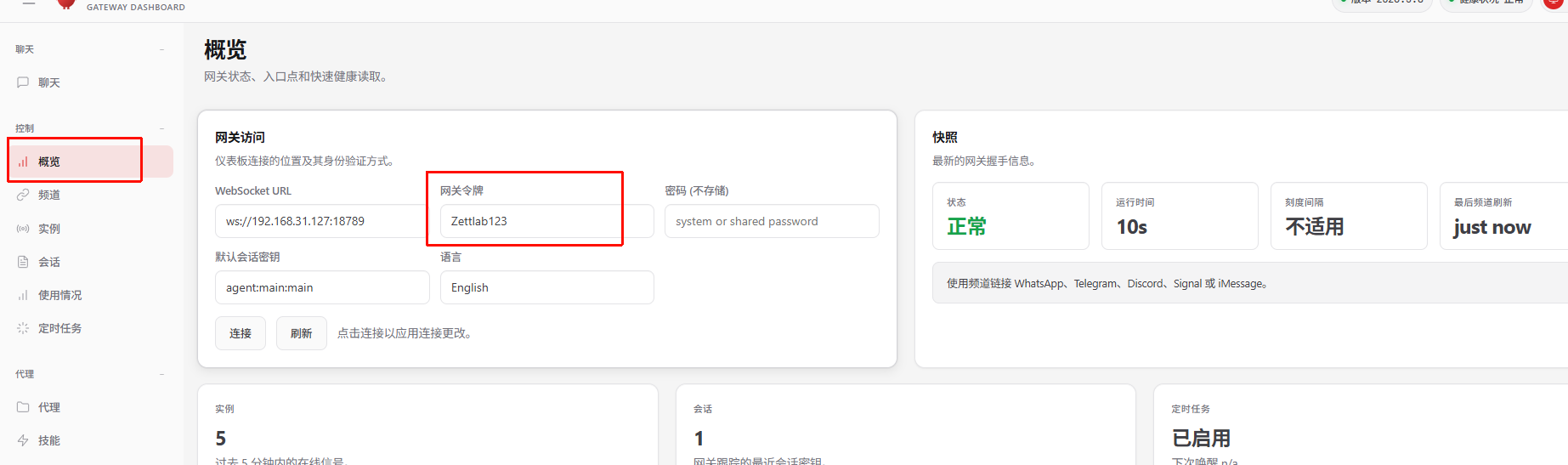
- 打开OpenClaw在左侧边栏点击 概览(Overview) 页面
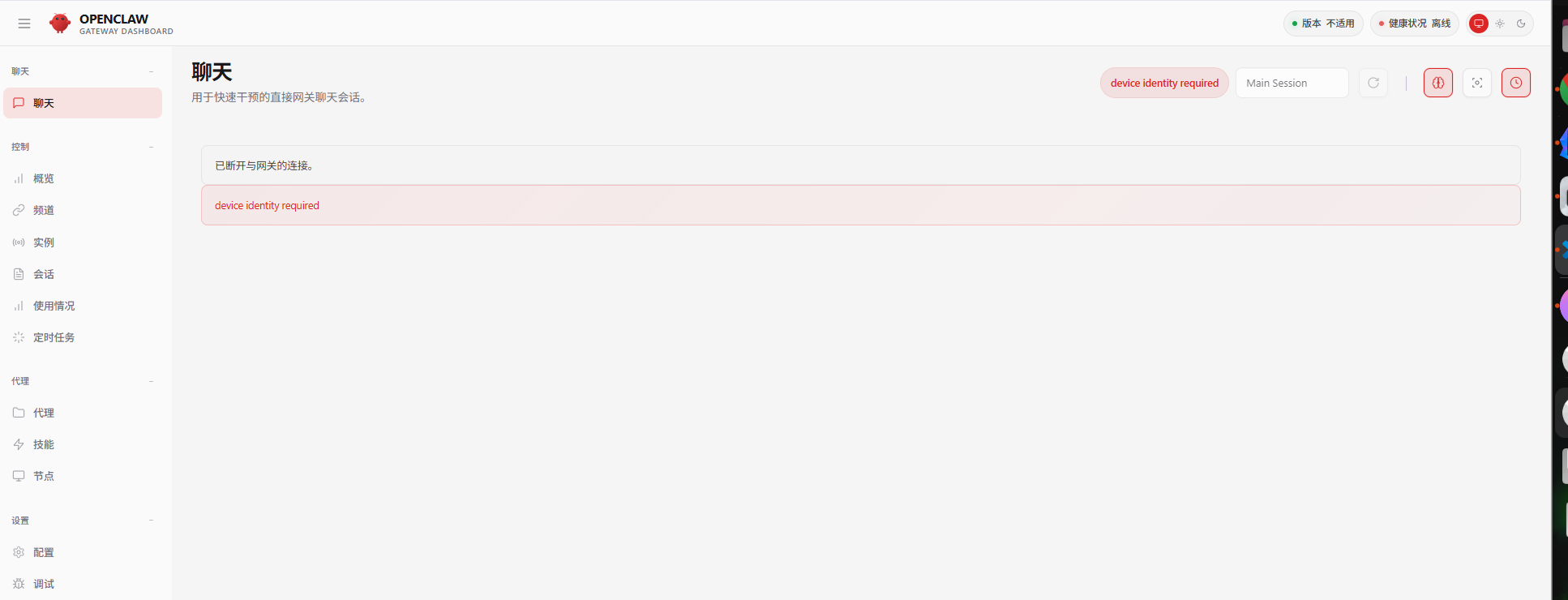
- 找到「网关令牌(Gateway Token)」区域,填入“Zettlab123”-点击“连接”
2.2 AI 模型配置
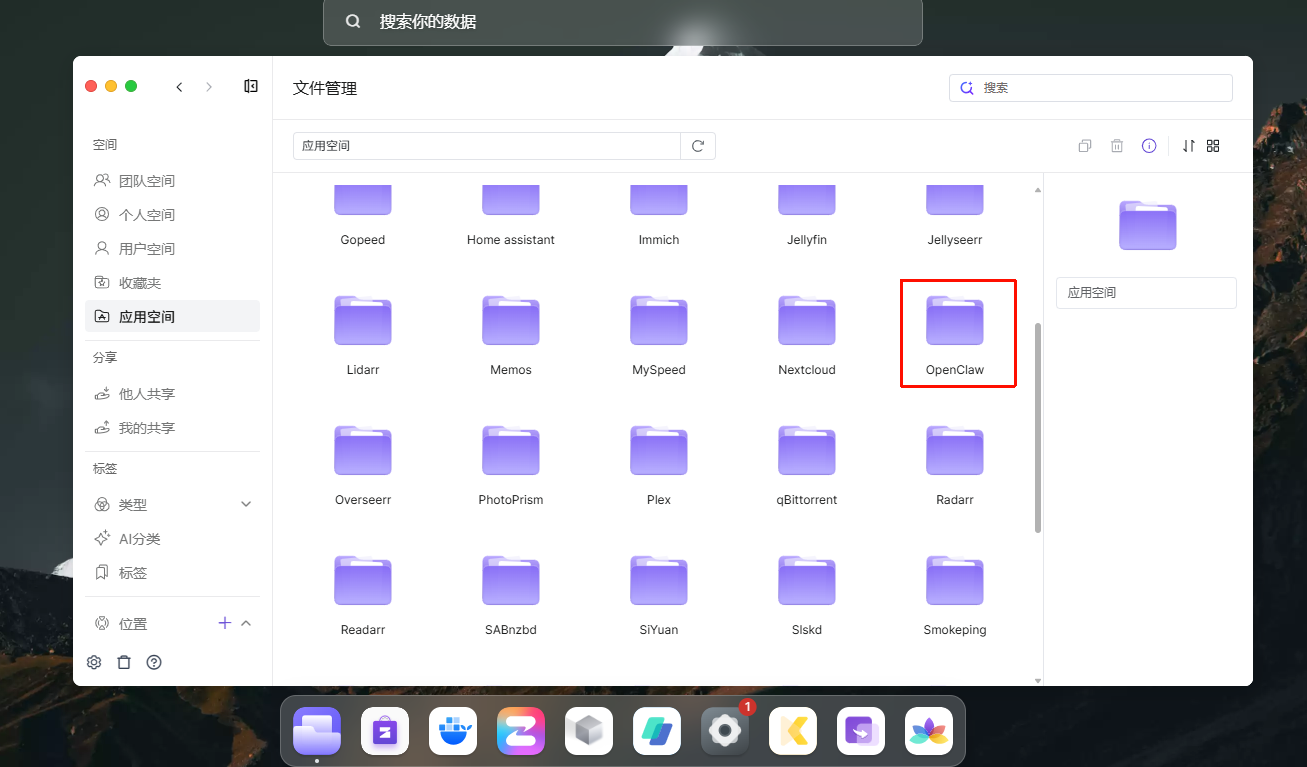
找到OpenClaw 界面路径:Files(文件管理)→ App Folder(应用空间)→ OpenClaw → data → conf → openclaw.json
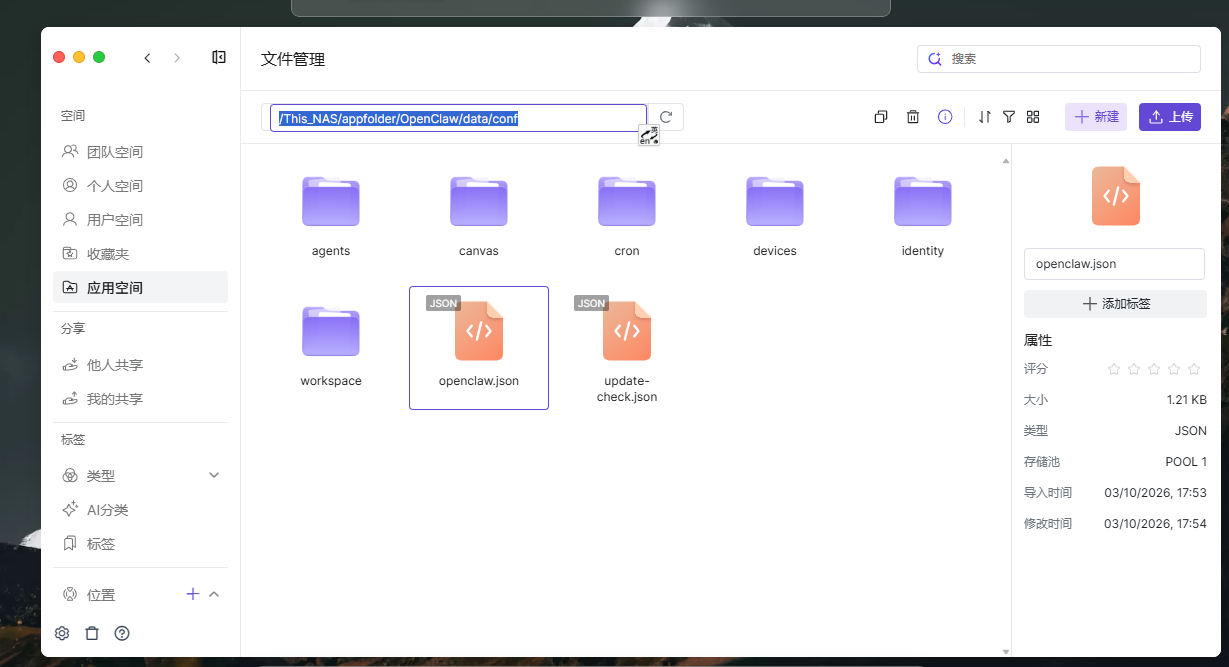
打开并编辑文件,找到对应模型的apiKey字段,填入你的 API Key后点击“保存”
    "providers": {
      "zai": {
        "api": "anthropic-messages",
        "apiKey": "",     ←  在""中间粘贴模型的token密钥
        "baseUrl": "https://open.bigmodel.cn/api/anthropic",
        "models": [
          {
            "contextWindow": 131072,
            "cost": {
              "cacheRead": 0,
              "cacheWrite": 0,
              "input": 0,
              "output": 0
            },
            "id": "glm-4.7",
            "input": [
              "text",
              "image"
            ],
            "maxTokens": 16384,
            "name": "GLM-4.7"
          }
        ]
      }
    }
  }
}
3. 重启OpenClaw
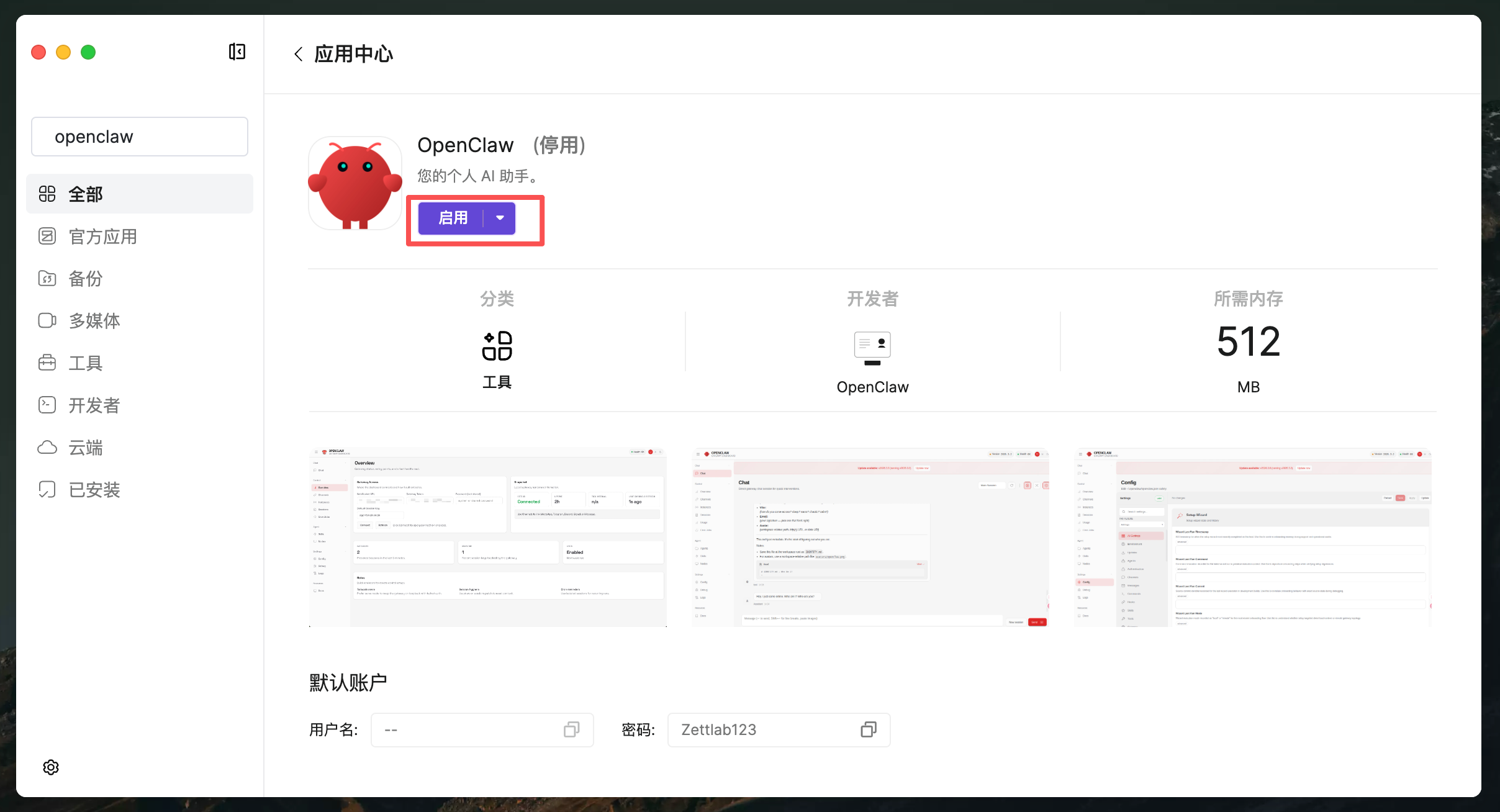
请在应用中心“停用”OpenClaw后,再“启用”就可以“打开”正常使用了。 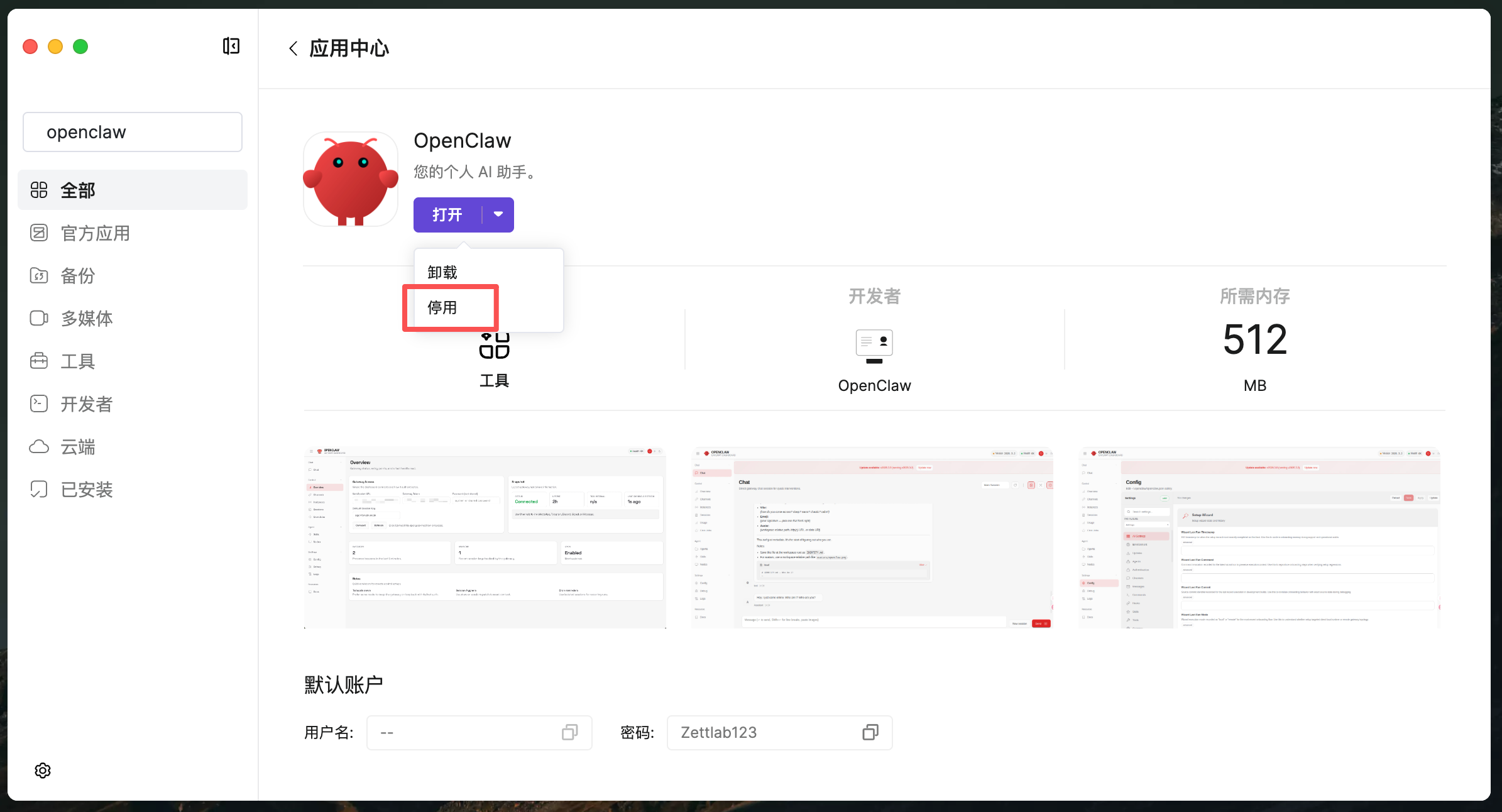
4 如何切换模型
4.1 修改openclaw.json
修改openclaw.json里的模型,然后配置对应的apiKey就可以完成修改模型。
4.2 在Openclaw容器shell命令切换
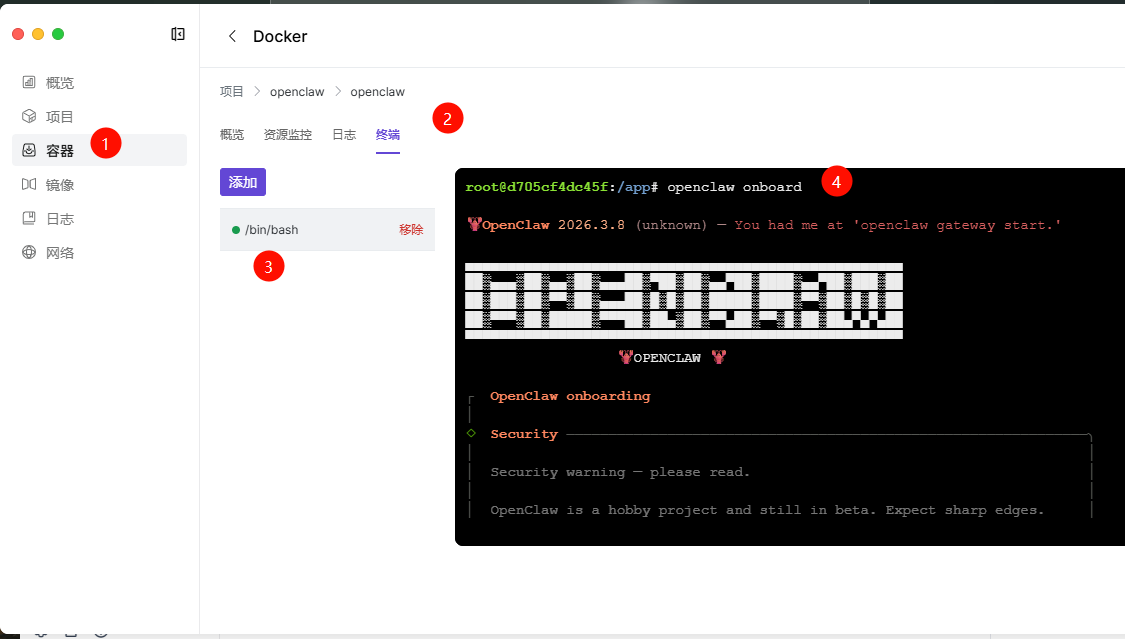
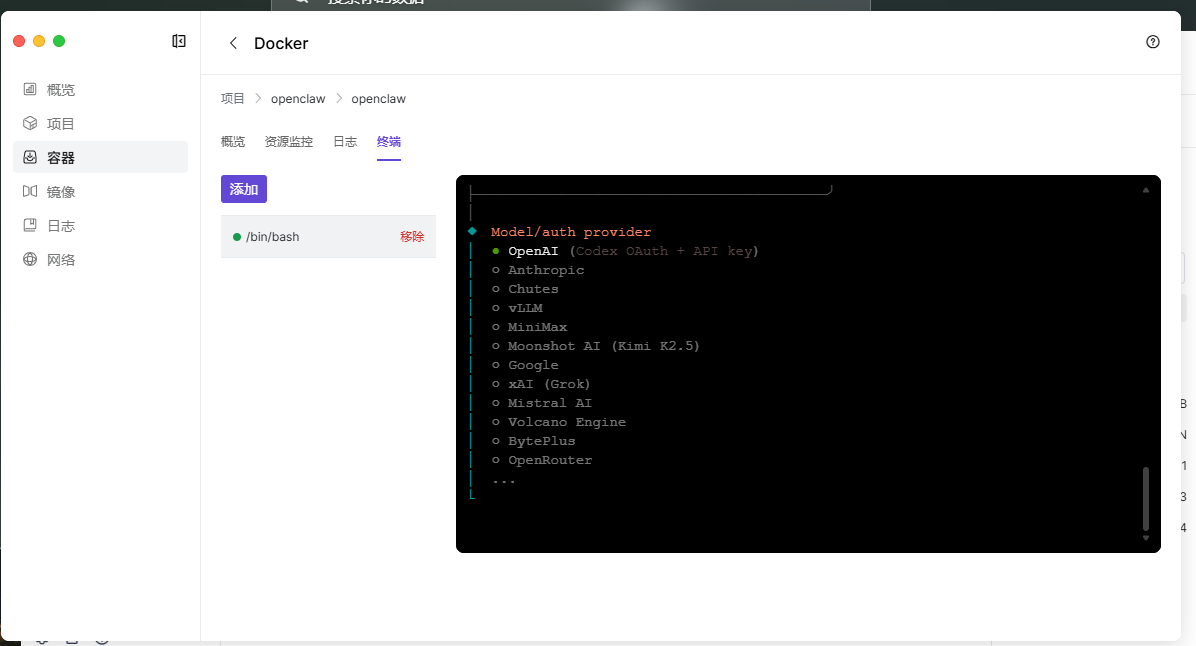
到Docker App 左边的【容器】找到openclaw,进入【终端】,新增终端,输入/bin/bash创建链接; 输入命令openclaw onboard,然后按照对应的指示,切换成对应的模型。